Daily and weekly desk routines, and what is genuinely not your responsibility.
Your desk is the one part of the office that is genuinely yours to manage. The cleaning team will empty your bin and clean the floor, but most contractors are instructed not to move items on desks or touch equipment — reasonably, given the risk of damage and confidential documents. That leaves a gap, and the gap is your keyboard, your mouse, your phone and the surface under all of it.
This guide covers what you can realistically do, how to do it without damaging anything, and — equally important — what is genuinely not your job.
Why It Is Worth Ten Minutes a Week
Three practical reasons, none of them about tidiness for its own sake.
Hygiene. Your keyboard is the most-handled object at your desk, and it collects food debris, skin cells and whatever was on your hands. In hot-desking environments this matters considerably more, because the surface passes between people who may never otherwise interact.
Focus. Visual clutter competes for attention. Whether it measurably reduces cognitive performance is genuinely debated in the research, and we are not going to pretend otherwise — but the practical experience of most people is that a cleared surface is easier to start work on.
How it reads. Your desk is visible to colleagues, managers and anyone walking a client through the floor. This is not about appearances for their own sake; it is simply true that a workspace is read as a signal.
The Daily Reset: Three Minutes at the End of the Day
Doing this at the end of the day rather than the start matters. You arrive to a workspace that is ready, and there is no decision to make about whether to tidy before starting.
- Clear the surface. Everything that is not permanent equipment goes away — papers filed, cups to the kitchen, stationery back in the drawer.
- Remove all food and packaging. Not into your desk bin; out to the kitchen or main waste. Food waste left overnight in an office is the single most common invitation to pests.
- Wipe the surface with a damp cloth or wipe — twenty seconds.
- Set up tomorrow. Leave out what you need first thing.
- Push your chair in and clear the floor under your desk of bags and boxes, so the cleaning team can actually reach it.
The one that matters most
If you do nothing else on this list, remove food waste before you leave. Everything else on this page is about hygiene and focus. This one is about whether your building develops a pest problem.
The Weekly Clean: Ten Minutes
Keyboard
- Unplug it, or switch off and disconnect if wireless.
- Turn it upside down and shake gently, or tap the base, to release debris.
- Use compressed air between the keys if available — short bursts, held upright, at an angle.
- Wipe the key tops with a slightly damp cloth or an appropriate electronics wipe.
- Let it dry fully before reconnecting.
Do not spray liquid directly onto or into a keyboard. Apply to the cloth, never to the device.
Mouse and trackpad
Wipe the body and buttons with a barely damp cloth. Check the optical sensor underneath and clear any lint. If you use a mouse mat, wipe or wash it — fabric mats hold a surprising amount.
Monitor screen
- Switch off and let it cool.
- Use a dry microfibre cloth for dust first.
- For marks, lightly dampen the cloth with water or a proper screen cleaner. Never apply liquid to the screen.
- Wipe gently in one direction. Do not press.
Never use glass cleaner, alcohol-based products or paper towel on a screen. Glass cleaner damages anti-glare coatings; paper towel scratches them. This is the most common way people permanently mark a monitor.
Desk phone and headset
The handset involves direct contact with your face and mouth, so it is worth doing properly. Wipe the handset, the keypad and the cradle with a disinfectant wipe. Headset ear cushions and the microphone boom too, particularly if the headset is shared.
Chair
Armrests are touched constantly and cleaned almost never. Wipe them, along with the backrest edge and the height adjustment lever.
The surface itself
Move the monitor, keyboard and anything else, and clean the surface underneath — including the front edge where your wrists rest.
Managing Paper
Paper is what actually accumulates. A simple system:
- Action — needs something from you. Keep visible.
- Waiting — you are waiting on someone else.
- File — needs keeping. File it weekly rather than letting it stack.
- Shred or recycle — everything else. Most of it.
Deal with anything confidential properly. Client information, personal data and financial records left on an open desk overnight are a genuine risk, not just an untidiness issue — and in many businesses a policy breach.
Under the Desk
Frequently the worst part of any workstation, and the part that stops the cleaning team doing their job.
- Keep the floor clear of bags, boxes and personal storage so it can be vacuumed
- Bundle cables so they are off the floor — this is a trip hazard as well as a cleaning obstruction
- Wipe out the cable tray occasionally
- Do not use the space under your desk as long-term storage
Hot-Desking: Different Rules
If you share a workstation, the standard changes.
- Wipe down when you arrive, not only when you leave. You do not know what the previous user did.
- Keyboard, mouse, phone, desk surface and chair armrests — all of it, every time
- Leave the desk completely clear
- Take everything with you, including your mug
- Report anything faulty rather than leaving it for the next person to discover
What Is Genuinely Not Your Job
This section matters, because businesses sometimes use staff desk hygiene as a substitute for a proper cleaning scope. It is not one. The following require assigned, trained, equipped responsibility:
- Disinfecting shared building touch points — door handles, light switches, lift buttons, access keypads — with correct dwell time
- Bathrooms, to any hygiene standard
- The communal kitchen, particularly the fridge interior, behind appliances and the sink area
- Floors, beyond keeping your own area clear
- High-level cleaning — vents, light fittings, tops of partitions
- Carpet extraction and hard floor treatment
- Anything requiring access equipment
If your workplace expects staff to cover these, that is a cleaning specification problem rather than a staff diligence problem, and no amount of individual effort will close it. Raise it with whoever manages the premises.
For Managers: Making This Actually Happen
Four things that determine whether desk hygiene works in practice:
- Supply the materials at the desk. Compliance rises sharply when wipes and microfibre cloths are on the workstation rather than in a store cupboard. This is the single highest-return intervention.
- Be explicit about the split. Publish what staff handle and what the cleaning contractor handles. Ambiguity is why the kitchen and shared equipment fall through.
- Give people the storage to comply. A clear-desk expectation with nowhere to put anything simply fails.
- Do not use this to reduce cleaning scope. Staff desk hygiene complements a proper specification; it does not replace one.
The Bottom Line
Three minutes at the end of each day and ten minutes once a week covers everything within your control: surface, keyboard, mouse, screen, phone and chair. The rules that prevent damage are simple — liquid on the cloth and never on the device, no glass cleaner or paper towel on screens, and food waste out of the building before you leave.
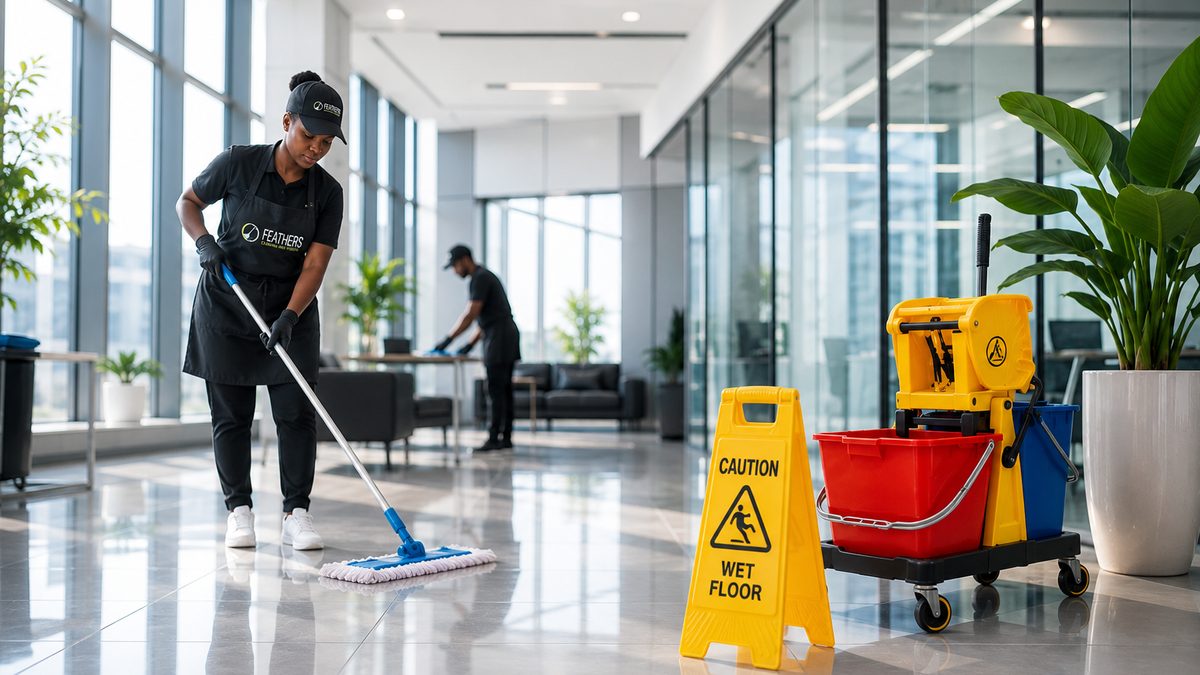
Everything beyond that — bathrooms, kitchens, shared touch points, floors and high-level work — belongs in a proper cleaning scope, not on your to-do list.
Feathers Cleaning and Hygiene provides office and commercial cleaning across Gqeberha, East London, Mthatha and the wider Eastern Cape, working to written scopes with defined frequencies.
Want this handled properly?
Tell us what you need cleaned and we will come and look at it before quoting anything.
Request a Written Scope Or call 079 096 3267